5.1 Create a playlist
A playlist plays media items in order. Use playlists for menu rotations, promotions and branch notices.
In the sidebar, select Playlists.
Start a new playlist and give it a clear name.
Add media items from your library.
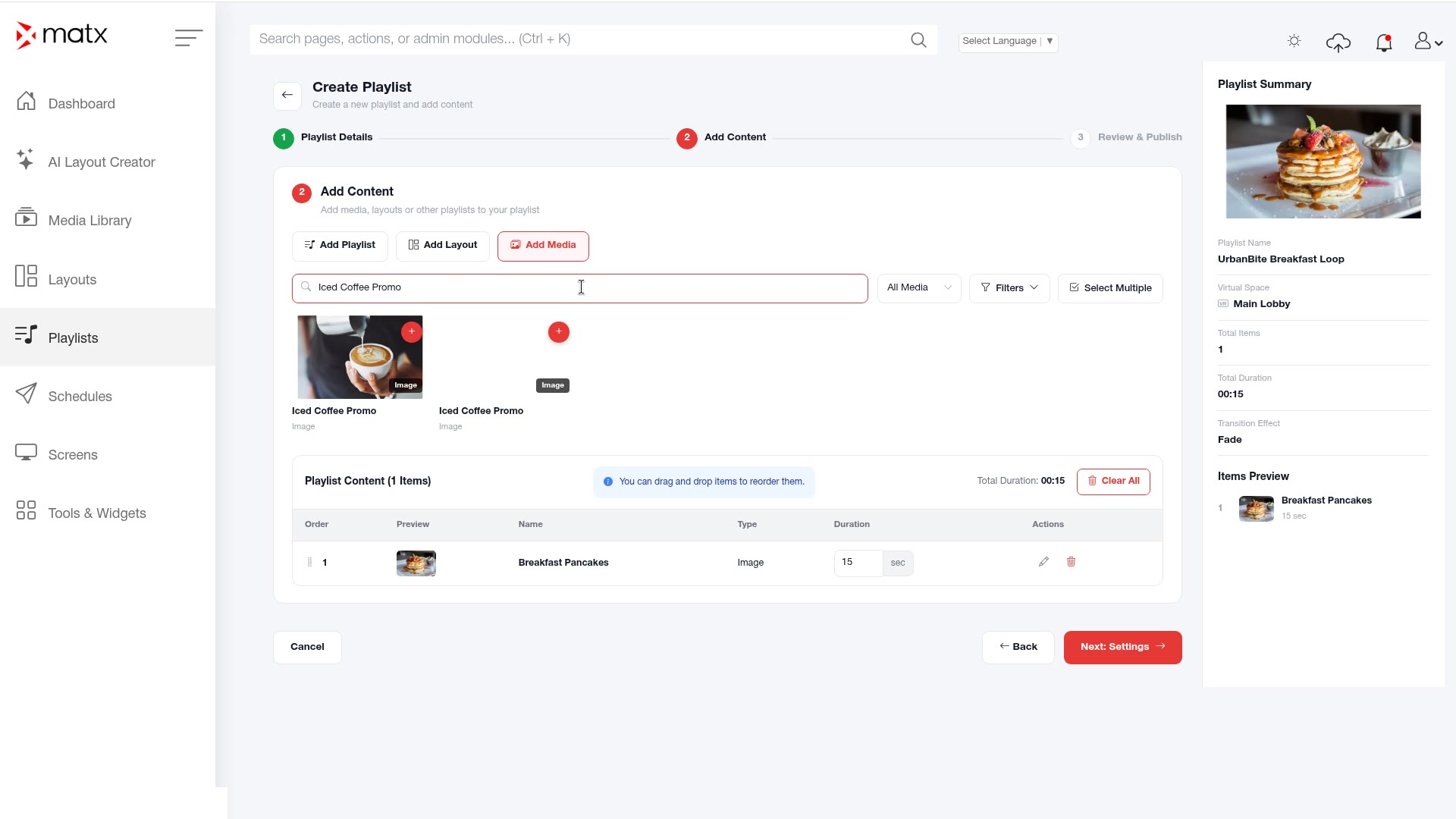 Playlists, adding media items
Arrange the items in the order you want them to play.
5.2 Set item durations
In the playlist, select an item and open Edit Item.
Set how long the item plays.
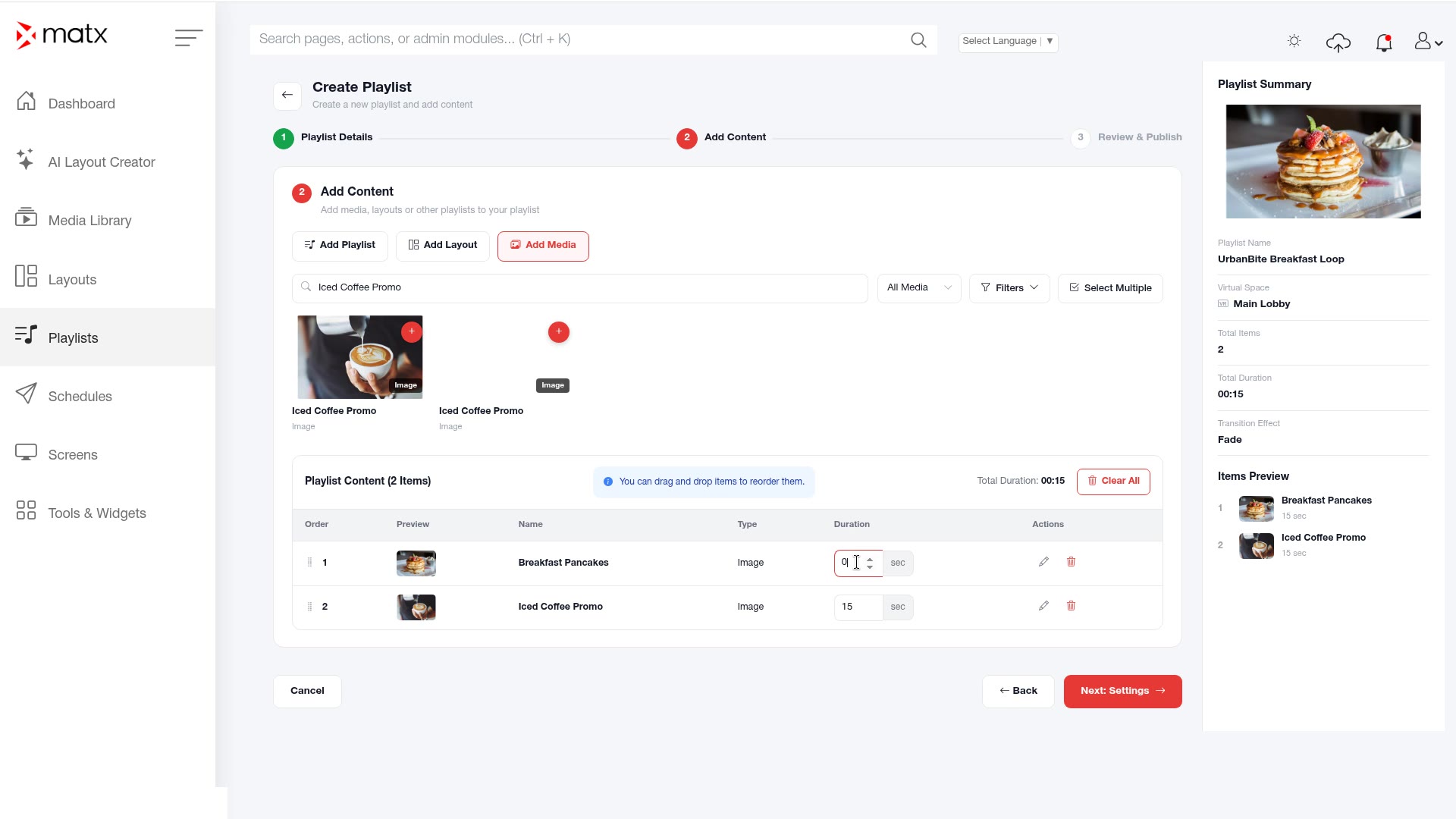 Playlists, Edit Item
Save the item.
Check the playlist's total duration.
5.3 Publish a playlist
Review the items, their order and the total duration.
Click Publish Playlist.
ScreenshotPlaylists, Publish PlaylistSchedule the playlist on your screens. See Create a schedule.
On the Dashboard, check Pending Publish Jobs and the Publish Queue until the job clears.
 Digital Signage